


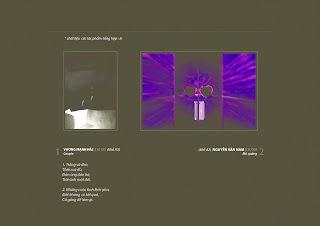


Source from: FPT Arena University.


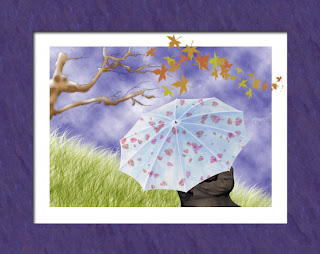
And this is my work ^_^


Then I will open layers of tree: Outline & Bark. Click layer outline then choose Multiply in Blending Modeand choose opacity 30%. You will see picture look like more beautiful. ^_^

Second, You use Lock transparent Pixels in Layers or Create new Layer and Group with old layer to draw by brush. Then you target Layer Bark and choose Layer>New>layer. In New Player bar> check Use Previous layer to create Clipping Mask and name highlights. When you did, we will have result.


Now you use brush tool and choose Dune Glass with 60 pxl and color ( R=230, B=171, G=235) + (R=186. G = 196, B=93) then you draw in new layer (Grass) and we have picture

Final, we will open all layers about human and umbrella. We will create colours in Swatches box with 2 colours (R=150,G=193,B=219) and (R=132,G=143,B=199). You also find Watercolor Light Opacity in Wet Media Brushes of Brushes box>choose it with 25 pixels

And you draw the white color on umbrella and we have:

The last, we use Scattered Mapple Leaves with 65px in Brushes box with Shape Dynamics>Fade 50 and Roundness Jitter 40% + Scattering> Scatter 265% and count 1. Then you create a border and I have a picture final ^_^

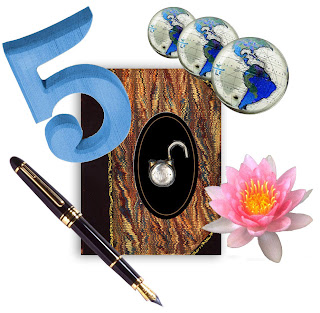
1. I will use Rectangular Marquee tool to select book in this picture.
You use Elliptical Marquee to select oval ( you move and drag from top to bottom to make an oval, then you should keep mouse and use spacebar to move oval to correct the oval) and earth ( you move and drag from center of earth to make an oval, then you also keep mouse + alt to move selection into center and also keep mouse and alt together. After that, you drag selection bigger and use ctr+alt+left mouse + spacebar to select earth)
You can use Magic Wand tool to select number 5 ( keep Shift to select the area other)
You can use Lasso tool to drag a pen and use Magnetic Lasso to drag a lock.
You can use Rectangular Marquee tool and Magic Wand tool together to drag a flower.
2.After you drag and cut, you move it and make it together.
First you move earth to the top of book by Move tool and use Image>Adjustments>Invert. After that you copy earth by keep Alt + drag. Final, you scale 3 earth.
Then you can continue doing with many other objects
Finally we will a final image.


 Posts
All Comments
Posts
All Comments


